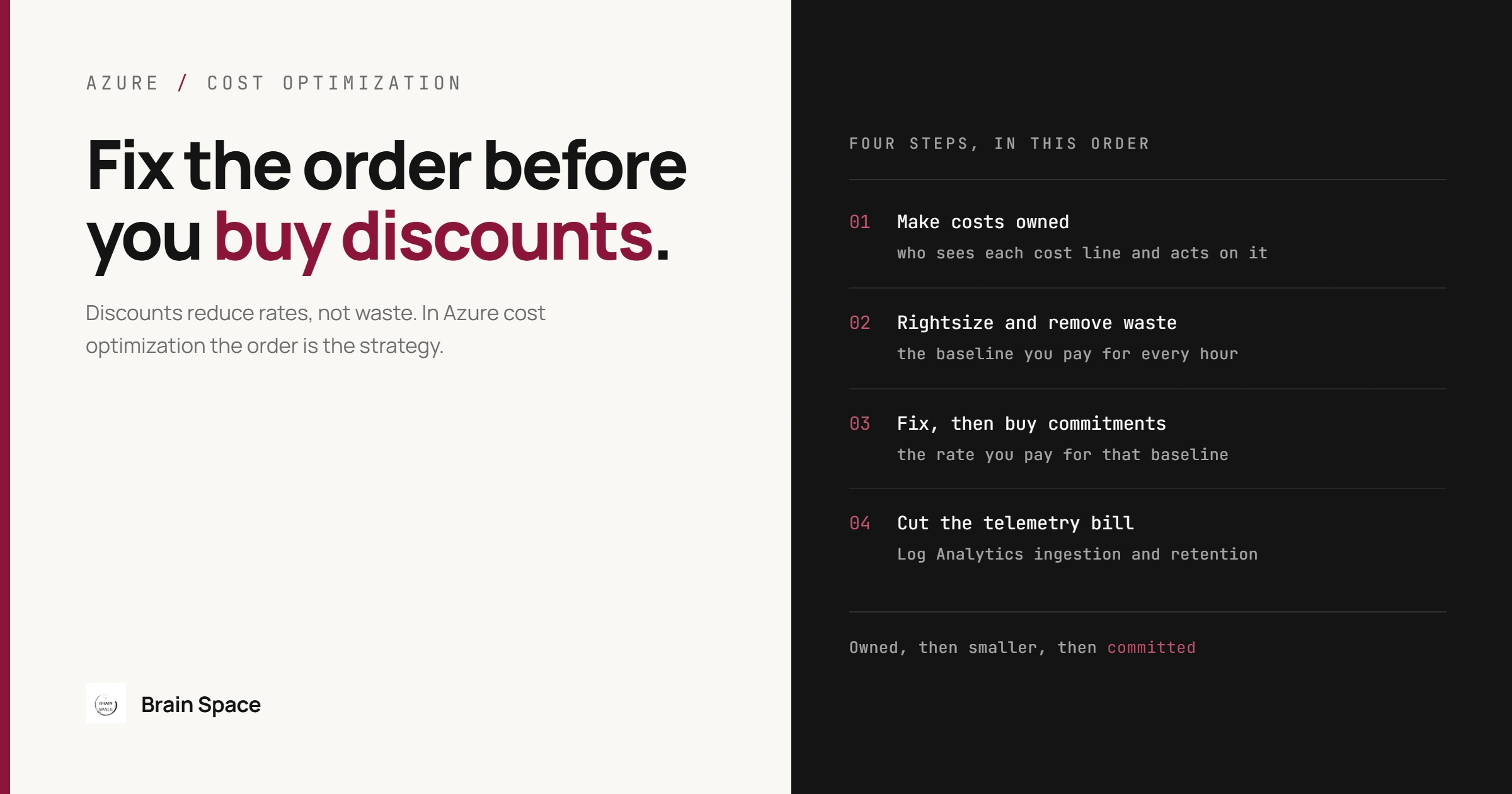
Azure Cost Optimization: Fix the Order Before You Commit
A familiar Azure cost optimization story: the bill doubles in a year, finance asks for a 30 percent cut, and the fastest lever in the portal is a three-year reservation. The team buys it for today's VM fleet. Two months later Advisor flags half of those VMs as oversized, one service moves to Container Apps, and the reservation keeps billing for capacity nobody runs. No single decision was wrong. The order was. Microsoft's own guidance puts it in one line: discounts reduce rates, not waste. This guide walks through four steps in the order that holds up on a mid-size .NET platform: make every cost line owned, rightsize and remove waste, fix and then buy commitments (reservations or savings plans), and cut the telemetry bill. For each step it covers when to skip it and what breaks when it goes wrong.
Azure Cost Optimization Is a Sequence, Not a Checklist
Azure cost optimization is the work of lowering the monthly bill without lowering what the platform delivers, and the order of the steps matters more than how many tips get applied. Each step changes the input of the next one. Ownership decides who acts on a rightsizing recommendation. Rightsizing changes the baseline a commitment should be sized to. A commitment bought first freezes whatever waste existed on the day of purchase. Most guides that rank for this topic list 15 or 20 independent tips, but the tips are not independent, and two of them can't be undone: a savings plan, and telemetry you chose not to collect.
Microsoft's own sequence covers the commitment part: right-size, exchange or trade in underused reservations, then buy new reservations and savings plans. Step 3 follows it; steps 1 and 4 cover what it leaves out.
| Step | What it changes | How reversible | Backfires when |
|---|---|---|---|
| 1. Make costs owned | Who sees each cost line and acts on it | Fully | A budget alert is treated as a spending cap |
| 2. Rightsize and remove waste | The baseline you pay for every hour | Mostly; a resize is a restart, storage tiers have minimum durations | A 7-day lookback misses a month-end peak |
| 3. Fix, then buy commitments | The rate you pay for that baseline | Savings plans: not at all. Reservations: through exchange, trade-in or a capped refund | Bought before step 2, or for a workload about to move |
| 4. Cut the telemetry bill | The Log Analytics ingestion and retention line | Settings are; data you dropped is gone | The daily cap trips in the middle of an incident |
Step 1: Make Every Cost Line Owned Before Cutting Anything
Ownership means every line of the bill maps to a team that can change it. In Azure that usually comes from two things: a subscription per product or environment, and tags such as owner, service and env on resource groups. It matters because every later step produces a list of actions (shut down this VM, move this table, resize this plan), and a list without owners gets read in a monthly review and then nobody acts on it.
Two defaults catch teams out. Resource group tags are not applied to the costs of the resources inside them unless someone turns on tag inheritance in Cost Management. It is opt-in, set per EA billing account, MCA billing profile or subscription (MPA only with Azure plan subscriptions); it tags usage records, not the resources, applies from the start of the current month, and skips purchases and resources that don't emit usage. And budgets cap nothing: when a threshold is exceeded resources aren't affected and consumption isn't stopped, cost data typically arrives 8 to 24 hours late, and budgets are evaluated every 24 hours. The common mistake is treating a budget alert as a guardrail. The consequence is that a runaway cost, such as debug logging left on in production or a load test against a premium plan, is discovered a day or two after it started, by email, with nothing stopped automatically. If you need a stop, connect a subscription or resource group budget (the only scopes that support action groups) to automation you have tested, and accept that it acts on day-old data.
This step is not worth formalizing for a single product that already has one subscription per environment: the subscription is the ownership boundary, and a tag taxonomy adds policy work without changing any decision. Tags start paying for themselves when two teams share a subscription or when a shared cost, such as one Log Analytics workspace for every service, has to be split. Enforcing them is easiest where infrastructure is already code; our infrastructure as code migration playbook covers getting there.
Step 2: Rightsize and Remove Idle Resources Before Any Commitment
Rightsizing means moving each workload to the smallest SKU or instance count that still carries its load, and deleting what nobody uses. Azure Advisor does the first pass for VMs and scale sets: among other criteria, it recommends a shutdown when P95 CPU stays under 3 percent and outbound network under 2 percent, and a resize when the load would fit a cheaper SKU at P95 CPU of 40 percent or less and P99 memory of 60 percent or less for user-facing workloads. It matters because this is the only step that cuts both today's bill and the baseline every later commitment gets sized against.
The common mistake is acting on the default lookback. Advisor analyzes the last 7 days unless you change it (up to 90 days), so a VM that only works hard during month-end close looks idle for three weeks of every month. Resize it on that evidence and the consequence lands at month end: the close job runs out of memory or overruns its window. Advisor's own limitations add two traps. Its savings estimates use retail rates and ignore existing reservations and savings plans, so a cross-series resize can raise the bill when the old series was covered by a reservation. And deallocating is not deleting: a deallocated VM stops compute charges, but its managed disks keep billing.
Rightsizing is the wrong move for capacity that exists on purpose: failover nodes, a disaster recovery region, or headroom for a known launch should be dismissed in Advisor, not cut. On the Helvetic car rental platform, where we own development and DevOps for 10+ interconnected Azure microservices on Docker Swarm under a 99.9 percent uptime SLA, the question for any node is what the SLA looks like without it, not what its CPU graph says.
Cuts Outside the Production VM Fleet
Non-production is where cuts are cheapest. Deallocate dev and test VMs outside working hours. Azure Dev/Test pricing, for active Visual Studio subscribers, bills Windows VMs at Linux rates, but the subscription is restricted to development and testing and has no SLA, so it can't host anything a customer depends on. Spot VMs suit only work that survives eviction: Azure reclaims them with at most 30 seconds of warning, delivered best effort through opt-in Scheduled Events, gives them no SLA, and under the default Deallocate policy keeps charging for their disks. On App Service and Container Apps, autoscale rules and a minimum of zero replicas cut idle hours, at the price of cold starts on the first request, which is the wrong trade for a latency-sensitive API. Storage needs the same care: blob lifecycle rules that move data to cool, cold or archive tiers cut capacity cost, but those tiers carry 30, 90 and 180 day early-deletion charges and archive takes up to 15 hours to rehydrate, so tiering data a support process reads weekly costs more than it saves.
Step 3: Fix Existing Commitments, Then Buy New Ones Sized to the Baseline
Commitments trade a one or three year term for a lower rate. A reservation covers a specific instance family in a specific region and gives the deepest discount when fully used. A savings plan commits to a fixed hourly spend across regions, and there are two: savings plan for compute (VMs, App Service, Container Apps, Functions premium and other compute, infrastructure only) and savings plan for databases (SQL Database, SQL Managed Instance, PostgreSQL, MySQL, Cosmos DB and SQL Server hourly licenses). When both kinds exist, Azure applies reservations first and the savings plan covers what is left. It matters because on a steady baseline this is the largest rate cut available without changing a line of code.
Before buying anything, fix what you already hold. An underused reservation can be exchanged for a better-fitting one, or traded in for a savings plan when the workload has become variable; that trade-in is the documented remedy for the reservation stranded by a move to Container Apps. Then buy new reservations only for stable workloads, and size new savings plans to the hourly floor of eligible spend over recent months, not the average, so the commitment is used every hour, including nights and weekends. Don't commit at all before step 2, or for a workload with a planned move inside the term that no flexible option follows.
The common mistake is buying on the assumption that a commitment can be unwound later. Savings plans can't be canceled or refunded, and each hour's unused commitment expires. Reservations are more flexible, within limits that are tightening. Refunds are capped at USD 50,000 of canceled commitment per rolling 12 months per billing profile or EA enrollment (exchanges don't count against it). Reservations purchased after February 1, 2027 for services that savings plans cover (VMs, App Service, SQL Database and similar) won't be exchangeable at all, and those bought before that date keep one final exchange; instance size flexibility is unaffected. The consequence of over-committing is paying twice: for the unused commitment every hour, and at pay-as-you-go rates for the workload that moved.
Licensing is a separate line. If you already own Windows Server or SQL Server licenses with active Software Assurance or qualifying subscription licenses, Azure Hybrid Benefit removes the license charge from those VMs; without such licenses it doesn't apply.
Step 4: Cut the Log Analytics Bill Without Losing Incident Data
This step means paying only for the telemetry you will actually query. Microsoft's Azure Monitor cost documentation notes that ingestion and retention in Log Analytics workspaces are typically the most significant charges, and workspace-based Application Insights bills through the same workspace. It matters because this line has no natural owner: every service adds to it and no team sees its own share. Before changing anything, find which tables and services produce the billable volume:
// Billable GB per table over the last 30 days (Usage.Quantity is in MB)
Usage
| where TimeGenerated > ago(30d)
| where IsBillable == true
| summarize BillableGB = sum(Quantity) / 1000 by DataType
| sort by BillableGB desc

// Which services and log levels fill AppTraces
AppTraces
| where TimeGenerated > ago(7d)
| summarize BilledGB = sum(_BilledSize) / 1e9 by AppRoleName, SeverityLevel
| sort by BilledGB desc
The fix that keeps diagnosis intact is sampling and filtering at the source. The newer Microsoft OpenTelemetry Distro for .NET defaults to rate-limited sampling at five traces per second for Azure Monitor export and drops logs tied to unsampled traces. Services still on the earlier Azure Monitor OpenTelemetry Distro or the Application Insights SDK have their own defaults, so check rather than assume; the same page gives a query that shows the retained percentage per telemetry type. Pricing options come next, each with a catch. The Basic and Auxiliary table plans bill ingestion at a lower flat rate but charge per GB scanned when queried, a false saving for any table an alert or dashboard reads often. A commitment tier saves up to 30 percent on Analytics ingestion but starts at 100 GB per day and locks for 31 days. Ingestion-time transformations can drop rows or columns, but on Analytics and Basic tables filtering out more than half the incoming data is billed as processing on the excess, unless Sentinel is enabled on the workspace. Retention is set per table: Analytics ingestion includes 31 days, longer periods bill per GB, and data past its retention is removed or moved to long-term retention, never kept for free.
The common mistake is using the daily cap as the cost control. Once reached, the cap stops ingestion until it resets the next day, and a spike is exactly what an incident produces, so the consequence is an outage with no telemetry for its second half; Microsoft calls the cap a last resort, not a replacement for sampling. Ingestion sampling set in the portal has a similar cost: it drops data without regard to trace boundaries and leaves broken traces. Skip this step when the workspace is a small line on the bill, because every sampling change is a small risk to diagnosis, and that risk is not worth taking for little money.
When Azure Cost Optimization Isn't Worth the Engineering Time
If the monthly bill is smaller than a few days of an engineer's time, the steps with a real return are the cheap ones: owner tags, a budget alert, deallocating non-production at night. The expensive ones, such as moving to cheaper compute or reworking chatty services to cut egress, pay off only when the saving recurs for years. A useful rule: if a change needs a migration to save money, judge it as a migration, with the same risk review, not as a cost tweak. Teams weighing whether their .NET workloads belong on different Azure services can start from our signs a .NET application is ready for Azure migration. The work spans architecture, infrastructure, CI/CD and observability at once, which is how our cloud and DevOps engineering engagements are scoped: the people who change the bill own what happens to the platform afterwards.
Questions Teams Ask About Azure Cost Optimization
Do Azure budgets stop resources when the limit is reached?
No. Budgets send notifications and, at subscription and resource group scope, can trigger an action group, but resources keep running. Cost data also lags by 8 to 24 hours, so an alert describes yesterday.
Where to Start This Week
Run the two queries above, and open Advisor with the lookback set to 30 days or more. Put a named owner on the five largest lines of the bill. Remove what is idle or oversized, let a full billing cycle pass so the new baseline is real, exchange or trade in the commitments that no longer fit, and only then buy new ones sized to the baseline's floor. If new reservations for VMs or App Service are on the plan, buy them knowing that those bought after February 1, 2027 can't be exchanged. In Azure cost optimization, the order is the strategy: owned, then smaller, then committed, with telemetry kept at a price you chose.