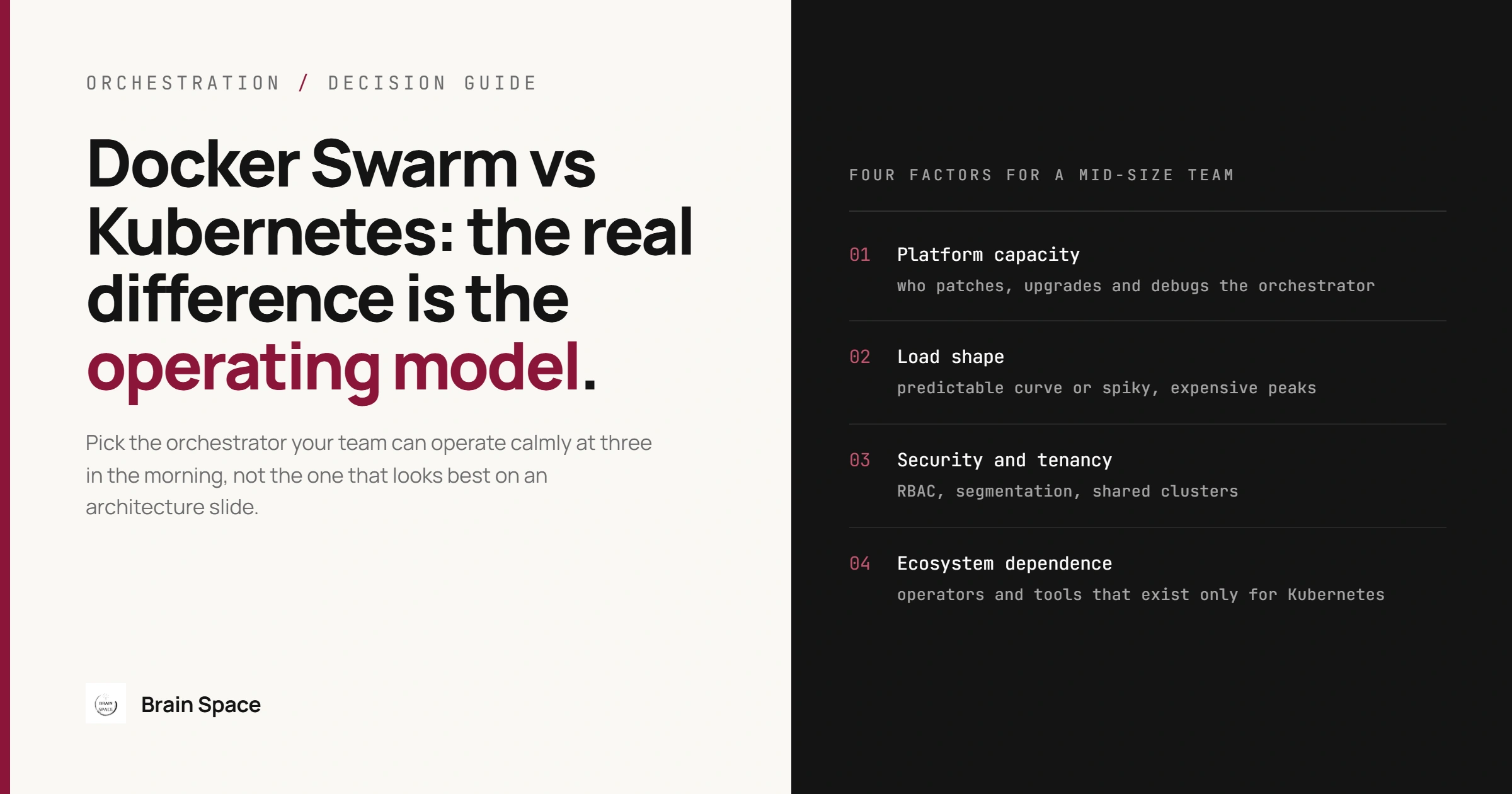
Docker Swarm vs Kubernetes: A Guide for Mid-Size Teams
Docker Swarm vs Kubernetes: A Decision Guide for Mid-Size Teams
Most docker swarm vs kubernetes comparisons end with the same line: Swarm is simple, Kubernetes scales. That is true and almost useless, because a mid-size team is not choosing between feature lists. It is choosing how much platform it is willing to operate, every week, for years. We run Docker Swarm in production for the Helvetic Car Rental platform, a multi-country system of more than ten interconnected .NET 8 microservices on Azure with a 99.9% uptime SLA, where we own both development and operations. This guide covers where the two orchestrators really differ, the four factors that should decide it for a team your size, what Swarm needs in production, whether Swarm is dead, and how to move to Kubernetes later without a big-bang migration.
Docker Swarm vs Kubernetes: The Short Answer
Choose Docker Swarm when your team is small, your load is predictable, and nobody wants to become a full-time platform engineer. Choose Kubernetes when you need autoscaling, fine-grained access control, or operators and add-ons that only exist for Kubernetes. The detail is where teams get hurt, so the rest of this article is about the detail.
Concern Docker Swarm Kubernetes Setup and daily operation Built into Docker Engine; a working cluster in minutes Many moving parts; realistic only on a managed service for small teams Managed offering None from the major clouds; you run the managers AKS, EKS and GKE run the control plane for you Deployment definition Compose files deployed as stacks Manifests or Helm charts per resource type Ingress Built-in routing mesh publishes a port on every node Services plus an ingress controller you choose and maintain Persistent storage Node-local volumes by default; cluster volumes for CSI plugins still maturing Persistent volumes on mature CSI drivers from every major cloud Autoscaling None built in; replica counts are set by hand HorizontalPodAutoscaler and cluster autoscaling are standard Access control No role-based access control in the open-source engine RBAC built in; network policies enforced only if the network plugin supports them Ecosystem and skills Small ecosystem; anyone who knows Compose can operate it Very large ecosystem; needs dedicated platform knowledge
The Real Difference Is the Operating Model
Swarm treats orchestration as an extension of Docker. You describe services in the same Compose format developers use locally, deploy them as a stack, and the engine handles placement, rolling updates, service discovery, and overlay networking between nodes. Kubernetes treats orchestration as a platform in its own right: an API server, a scheduler, controllers, and dozens of resource types you compose into the system you want. That flexibility is the point of Kubernetes, and it is also the cost.
A mid-size team pays for the platform in attention, not licences. Every hour spent upgrading an ingress controller or debugging a network policy is an hour not spent on the product. Swarm keeps that bill low and predictable; Kubernetes turns it into a standing line item that grows with every add-on. This lens is wrong when the platform is the product, for example multi-tenant workloads run for customers, where the operating cost is simply the price of entry. The common mistake is the opposite: adopting Kubernetes because it is the default, then running it with the two people who used to run a few Docker hosts. The consequence shows up months later as clusters nobody dares to upgrade and incidents that take hours because one person understands the networking.
Four Factors That Decide It for a Mid-Size Team
Four factors decide this in practice: platform capacity, load shape, security and tenancy, and dependence on the ecosystem. Each can tip the decision on its own.
Team Capacity to Operate a Platform
This is about who will patch, upgrade, and debug the orchestrator itself. Swarm needs little dedicated capacity: upgrades are Docker Engine upgrades, and the mental model fits in an afternoon. But no major cloud offers managed Swarm, so the managers are always yours to run. Kubernetes flips the trade: on AKS the control plane is Azure's job, yet someone still has to understand controllers, networking plugins, and version skew. When the team that writes the services also runs production, as with our development and operations ownership on Helvetic, this factor tends to dominate.
Capacity matters least when you already have a platform team. The common mistake is counting the initial setup and ignoring the steady state: a cluster built in a week still needs quarterly upgrades and add-on maintenance. When capacity is missing, the consequence is a platform that falls behind on versions until an upgrade becomes a project of its own.
How Your Load Behaves
Swarm has no built-in autoscaler: replica counts stay where you set them. Kubernetes has the HorizontalPodAutoscaler, which adjusts replicas to demand, and cluster autoscaling to add nodes underneath. For a business application with a predictable daily curve, fixed capacity with headroom is cheaper to reason about than autoscaling, and Swarm handles it well.
Load shape stops favouring Swarm when traffic is spiky and expensive to over-provision: batch imports, marketing peaks, event-driven fan-out. The common mistake is assuming autoscaling solves capacity planning; it moves the problem to choosing metrics and limits. Without it, the consequence under a real spike on Swarm is manual scaling during an incident, which works exactly as well as whoever is on call.
Security and Tenancy Requirements
Swarm has secrets and mutual TLS between nodes, and it encrypts cluster management traffic by default. Application traffic on overlay networks is only encrypted if you create the network with the encrypted option, which uses IPsec and costs some throughput. The open-source engine has no role-based access control: anyone with access to a manager's Docker API can change anything. Kubernetes has RBAC and namespaces built in, plus network policies, which are only enforced if the cluster's network plugin supports them; on AKS that means choosing a network policy engine.
For one product team where everyone with cluster access may deploy, Swarm's model is sufficient and easier to audit. It stops being sufficient when auditors ask who can change production, several teams share a cluster, or regulations require segmentation between services. Two mistakes recur: assuming service traffic on Swarm is encrypted because cluster traffic is, and writing Kubernetes network policies on a cluster that silently ignores them. Both leave a control that exists on paper only, discovered during an audit or an incident.
Dependence on the Ecosystem
Most infrastructure tooling now ships for Kubernetes first: database operators, service meshes, policy engines, GitOps controllers. On Swarm you get the plain container and write the integration yourself. If your stack is stateless APIs, a message broker, and managed databases outside the cluster, you need little of that ecosystem and the gap costs almost nothing.
Ecosystem pull becomes decisive when a tool you need exists only as a Kubernetes operator, or when hiring matters, because far more engineers list Kubernetes experience than Swarm. The common mistake is overestimating how many of those tools you will adopt. Underestimating it has its own consequence: a growing pile of homemade scripts replicating what an operator would give you.
What Running Swarm in Production Actually Takes
Swarm is simple, but not free of operations. Five areas deserve deliberate design from day one.
Manager Quorum
Managers keep cluster state with the Raft consensus algorithm, and a majority must be available for the cluster to accept changes. The Docker administration guide recommends an odd number: three managers tolerate one failure, five tolerate two. The common mistake is running two managers "for redundancy", which tolerates zero failures, or letting managers run heavy workloads, since they are sensitive to resource starvation; drain them instead. Losing quorum leaves running containers serving traffic, but nothing can be deployed, rescheduled, or scaled until quorum returns.
Rolling Updates That Roll Back on Their Own
Swarm's update defaults are not what production needs: a failed update pauses (failure_action: pause) and old tasks stop before new ones start (order: stop-first), so a bad release sits half-deployed with reduced capacity until someone notices. Pair a real health check with a policy that starts new tasks first and rolls back on its own:
services:
  orders-api:
    image: registry.example.com/orders-api:1.42.0
    deploy:
      replicas: 3
      update_config:
        parallelism: 1
        delay: 10s
        order: start-first
        failure_action: rollback
        monitor: 30s
      restart_policy:
        condition: on-failure
    healthcheck:
      test: ["CMD", "curl", "-f", "http://localhost:8080/health"]
      interval: 10s
      timeout: 3s
      retries: 3
Without a health check, Swarm treats a container as healthy once its process starts, so a release failing on its first request reaches every replica. Two caveats. start-first briefly runs old and new tasks together, so it needs spare capacity and cannot work with ports published in host mode. And the check must be able to run: slim runtime images, including many .NET images, ship without curl, so the check fails and every release rolls back. Use a tool the image contains, or a probe built into the app.
Keep State Out of the Cluster
Swarm volumes are local to the node a task runs on, so a rescheduled database container returns on another node without its data. Databases belong outside the cluster where possible, as managed services with their own backup and failover. The exception is a node-bound workload you pin with placement constraints and accept as a single point of failure. The common mistake is running a stateful service as an ordinary replicated service because it worked in testing; the consequence is an empty database on a healthy-looking cluster after the first node failure. Treat database engine changes, like the MariaDB to MySQL migration on Helvetic, as projects of their own, never as side effects of platform work.
Secrets Without Environment Variables
Swarm secrets are encrypted in the cluster store and mounted as files under /run/secrets, which keeps credentials out of Compose files and docker inspect output. They are immutable, so rotation means creating a new secret and updating the service, which restarts its tasks. Applications that only read environment variables need a small change, such as a file-based configuration provider, before secrets help. The common mistake is keeping credentials in environment variables "for now"; the consequence is passwords visible to anyone who can inspect a service, and a rotation process nobody has run.
Backups of the Swarm Itself
Services, secrets, and configuration live in the Raft store on the managers, separate from your application data. The administration guide recommends stopping Docker on the manager before copying that state, and if autolock is enabled you also need the unlock key or the backup cannot be restored. The common mistake is backing up while Docker runs, or losing the key, and testing neither. The consequence appears when quorum is lost for good: rebuilding every service definition and secret from memory, under pressure. Rehearse a restore at least once.
Is Docker Swarm Dead?
No, but be precise about what is supported. Swarm mode ships in the open-source Docker Engine and is maintained there, with no vendor support agreement unless you buy one. Separately, Mirantis has committed that Swarm will be fully supported through at least 2030 as part of its commercial Mirantis Kubernetes Engine 3 product. That commitment covers MKE 3 customers, not a team on the free engine; for them, Swarm is alive but community-maintained, and fixes follow Docker Engine releases.
The real risk is slower: a shrinking ecosystem, fewer engineers who have run Swarm, new tools that never add support. It matters little for a stable system with known requirements and a lot for a platform expected to grow in scope for a decade. The better question is whether your requirements will stay within what Swarm does today, because that is what you are betting on.
Signals It Is Time to Move to Kubernetes
Migrating is expensive, so it should be triggered by evidence, not fashion:
You scale replicas by hand several times a month, and it has already slowed responses during a peak.
An auditor or customer contract requires access control and segmentation Swarm cannot express.
A capability you need, such as a database operator, exists only for Kubernetes.
Several teams deploy to one cluster and step on each other's services.
You maintain scripts that recreate what a standard Kubernetes add-on provides.
If none apply, a migration buys complexity, not capability, and teams usually notice only after the new cluster is live and nothing measurable has improved.
Moving From Swarm to Kubernetes Without a Big Bang
Your Compose files are the best migration inventory you will get: every service, image, port, secret, and dependency is written down. Kompose can turn them into first-draft manifests, but treat the output as a starting point, since health checks, resource limits, and update behaviour translate differently. Move stateless services first, one at a time behind the same entry point, and keep both clusters running until the last service has moved. Run the new cluster on a managed service, and define it as code from day one, as in any infrastructure-as-code migration, so it does not start life as a hand-built snowflake.
Autoscaling is usually the first real gain and a good test that the migration worked. A CPU utilization target only works if the Deployment declares CPU requests and the cluster runs a metrics server; manifests converted from Compose often have no requests, so the autoscaler silently does nothing:
# In the Deployment's container spec: without requests, CPU utilization is undefined
resources:
  requests:
    cpu: 250m
    memory: 256Mi
apiVersion: autoscaling/v2
kind: HorizontalPodAutoscaler
metadata:
name: orders-api
spec:
scaleTargetRef:
apiVersion: apps/v1
kind: Deployment
name: orders-api
minReplicas: 3
maxReplicas: 12
metrics:
- type: Resource
resource:
name: cpu
target:
type: Utilization
averageUtilization: 70The common mistake is migrating data stores in the same step as the services. Keep them where they are until the services are stable, otherwise every incident during the migration has two possible causes.
Frequently Asked Questions
Is Docker Swarm good enough for production?
Yes, for the right workload: stateless services, predictable load, a small team, and databases outside the cluster, with manager quorum, health checks, and backups designed deliberately.
Can Docker Swarm autoscale?
Not on its own. Swarm keeps the replica count you set; autoscaling needs external tooling that watches metrics and calls the Docker API.
Is Kubernetes overkill for a small team?
Often, unless you need one of the capabilities above. A managed service removes the control plane work, not the need to understand the platform, and that understanding is the real cost for a few engineers.
Choosing Without Regret
Pick the orchestrator your team can operate calmly at three in the morning, not the one that looks best on an architecture slide. For many mid-size teams that is still Docker Swarm, chosen deliberately, with a written list of the signals that would make you move. These trade-offs sit alongside the broader choices in distributed systems architecture that holds up, and they are the kind of platform work our cloud and DevOps engineering covers end to end, from the first cluster to the migration you may never need.