Data Lakehouse vs Data Warehouse: How Mid-Size Teams Choose
A familiar story: a team picks a lakehouse because the vendor diagram shows it doing everything a warehouse does plus machine learning. Six months later dashboards are slower than they were on the old warehouse, the object storage bill keeps growing although the data volume did not, and a nightly job fails with a concurrent write conflict nobody has seen before. None of that is a product bug. It is the work that a data warehouse used to do inside its engine and a lakehouse hands back to the team. The data lakehouse vs data warehouse decision is usually framed as features and flexibility. For a mid-size team it is really about who owns the table format, the file maintenance and the catalog. This guide covers the real difference, when each side wins, the three maintenance jobs a lakehouse adds, why the catalog is the real lock-in decision, how the choice looks inside Microsoft Fabric, and a decision rule you can apply this quarter.
Data Lakehouse vs Data Warehouse: What Is the Difference?
The short answer: in a data warehouse, one engine owns the storage format, the file layout, the transactions and the permissions. In a data lakehouse, data sits in your own object storage as an open table format (Delta Lake or Apache Iceberg), a metadata layer on top of Parquet files provides the transactions, and several engines can read the same tables. You gain engine choice and a single copy of the data. You take on the file maintenance and the catalog that the warehouse engine used to handle for you.
Several differences that comparison articles still repeat no longer hold. Modern cloud warehouses separate storage and compute too, handle semi-structured data such as JSON natively, and offer time travel (1 day by default in Snowflake, longer on Enterprise Edition). The line is also blurring from the vendor side: Snowflake can store tables in Apache Iceberg format, and the Fabric warehouse writes Delta tables to OneLake. So the useful question is not "lake or warehouse" but "which layer owns maintenance, concurrency and write access to my tables".
Concern | Data warehouse | Data lakehouse |
|---|---|---|
Table format | Owned by the engine, sometimes stored in an open format | Open format (Delta Lake, Iceberg) in your object storage |
File maintenance | Done inside the product | Compaction and cleanup are jobs you schedule, unless a managed platform runs them for specific table types |
Concurrent writes | One engine detects conflicts; concurrent updates to one table can still fail and need a retry | Optimistic commits from several engines; object storage without mutual exclusion needs extra setup |
Who can write | Only the warehouse engine | Engines the catalog admits, through its endpoint and under its access rules |
Best fit | SQL-first teams, BI as the main consumer | Several engines (Spark, SQL, streaming, ML) on one copy of the data |
When a Data Warehouse Is the Better Choice
A warehouse is the right default when most of your data is structured, most of your consumers are BI tools and analysts writing SQL, and nobody on the team wants to operate a data platform as a second job. The engine plans queries, lays out and compacts files, and collects statistics without anyone scheduling anything. For a company with one or two data engineers, that is the difference between shipping data models and babysitting storage.
Skip it when several engines need to write the same data (Spark for feature engineering, a streaming job, a SQL engine for BI), when raw event volume is large enough that loading everything into warehouse storage dominates the bill, or when you have a hard requirement to keep data in an open format under your own control.
Teams most often go wrong here by choosing a lakehouse for a machine learning workload that is planned but not yet real. What follows is a team running Spark clusters, compaction jobs and a catalog to serve dashboards a warehouse would have served with no platform work at all. If the ML use case does arrive, a warehouse is not a dead end: Snowflake can keep tables as Iceberg and Fabric Warehouse already stores Delta, so the data can be opened up then.
When a Data Lakehouse Earns Its Operational Cost
A lakehouse pays off when one copy of the data genuinely serves different engines: a streaming job appends OrderPlaced and ShipmentDelayed events, a Spark job builds features for a delivery-time model, and analysts query the same tables through SQL. Without an open table format, that setup means copying data between a lake and a warehouse and reconciling the two copies forever. The two-copy architecture is where analytics platforms quietly rot: the copies drift apart, and every metric dispute ends in a debate about which one is correct. If your events already flow through a broker, the design of that stream matters as much as the storage; our write-up on event streaming architecture patterns and pitfalls covers the upstream half.
The case collapses when only one engine will ever write the tables, or when nobody can own maintenance jobs and be on call for them. An open format with a single writer and a single reader buys very little and still carries the full maintenance overhead.
The typical failure is treating the lakehouse as a lake with SQL on top: dumping files in and expecting warehouse-grade performance. That produces the slow-dashboard, growing-bill story from the introduction, which is what the next section is about.
The Three Maintenance Jobs a Lakehouse Hands Back to You
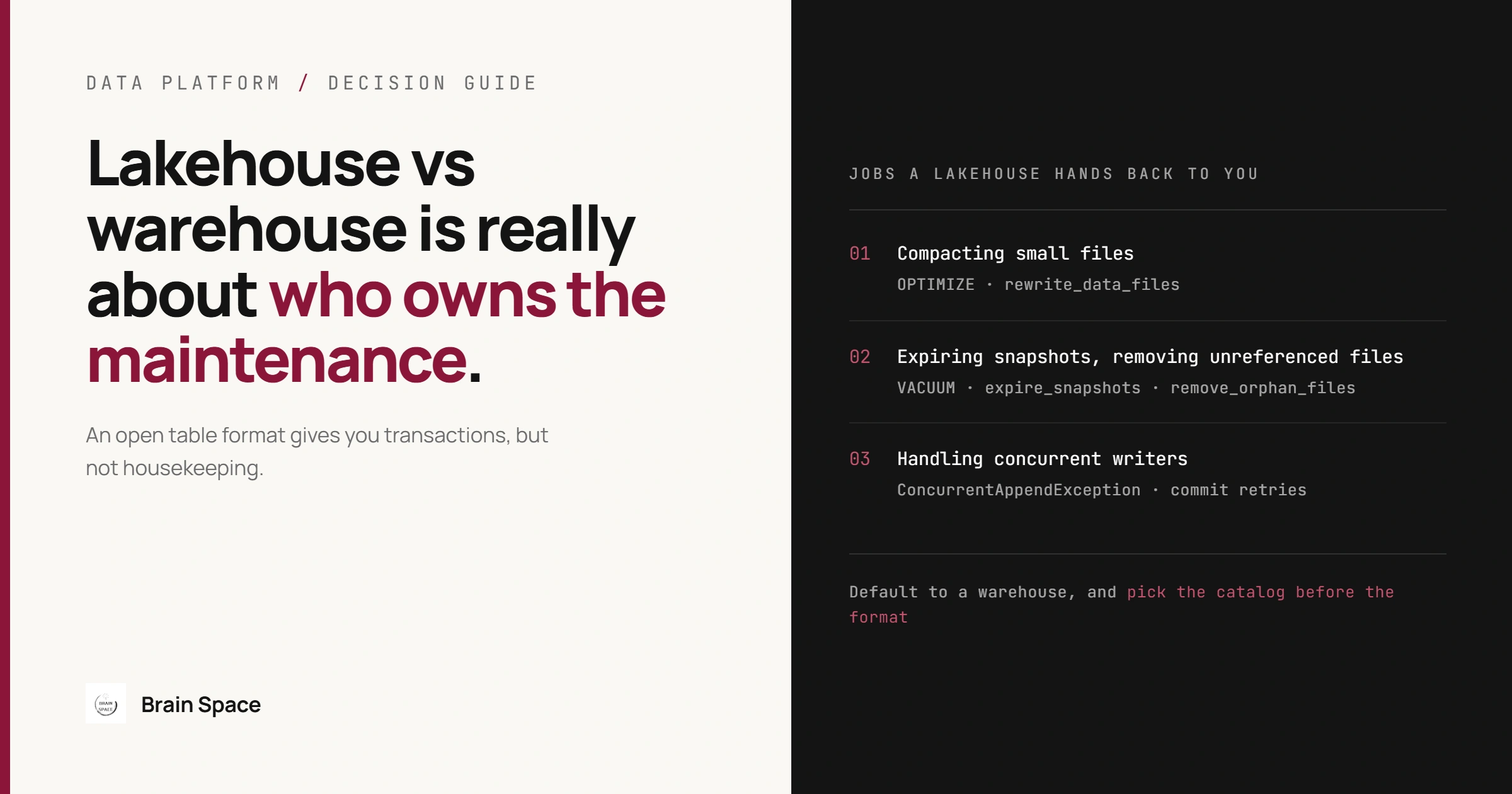
An open table format gives you transactions, but not housekeeping. Three jobs that a warehouse runs invisibly become your responsibility: compacting small files, expiring old snapshots and removing unreferenced files, and handling concurrent writers.
Compacting Small Files
Every write to a Delta or Iceberg table adds new files, and streaming or frequent micro-batch writes add many small ones. The Iceberg maintenance guide puts it plainly: small files cause unnecessary metadata and less efficient queries from file open costs. Compaction rewrites them into larger files; Iceberg targets 512 MB by default through write.target-file-size-bytes. On a table with hundreds of thousands of tiny files, query time is dominated by opening files, not reading data.
Tables written once a day in large batches already produce well-sized files and rarely need it. The trap is assuming compaction happens by itself: in open-source Delta Lake, OPTIMIZE runs only when you call it, and auto compaction is a table or session setting you have to turn on. Skip it and dashboards get a little slower every week until someone blames the query engine.
Expiring Snapshots and Removing Unreferenced Files
Both formats keep old table versions for time travel, and the files behind those versions stay in storage until you remove them. In Iceberg, snapshots accumulate until the expire-snapshots operation runs; the 5-day history.expire.max-snapshot-age-ms default only applies when that operation runs. In Delta Lake, VACUUM is not triggered automatically and keeps 7 days of files by default. A table that is never cleaned pays storage for every file it ever rewrote, which is how storage grows faster than data. Retention is a business decision, not only a cost one: if audits or incident debugging need long time travel, set it deliberately, because cleanup removes the ability to query older versions.
Iceberg also needs orphan file removal: failed Spark tasks leave files no snapshot references, and expiry alone may not catch them. This one is dangerous. The docs warn that a retention interval shorter than your longest running write might corrupt the table, because in-progress files look orphaned; the default interval is 3 days. The same caution applies to disabling Delta's VACUUM retention check to reclaim space quickly. Get either wrong and a backfill fails halfway through, reading files that no longer exist.
-- Nightly maintenance job. Dates are computed by the scheduler per run.
-- Delta Lake (table partitioned by event_date)
OPTIMIZE sales.order_events WHERE event_date >= '2026-09-23';
VACUUM sales.order_events RETAIN 168 HOURS;

-- Apache Iceberg (Spark procedures)
CALL lake.system.rewrite_data_files(table => 'sales.order_events', where => 'event_date >= "2026-09-23"');
CALL lake.system.expire_snapshots(table => 'sales.order_events', older_than => TIMESTAMP '2026-09-23 00:00:00', retain_last => 10);
CALL lake.system.remove_orphan_files(table => 'sales.order_events');

-- Health check to chart per table: file count and average file size
DESCRIBE DETAIL sales.order_events;  -- Delta: numFiles, sizeInBytes
SELECT count(*) AS files, avg(file_size_in_bytes) AS avg_bytes
FROM lake.sales.order_events.files;  -- Iceberg files metadata table
Run this as a scheduled job with its own alerting, not as a script someone remembers. Managed platforms can take part of it off your hands, but check the scope: Databricks predictive optimization runs OPTIMIZE, VACUUM and ANALYZE only on Unity Catalog managed tables (Delta and Iceberg), not external tables, requires the Premium plan or above, and is on by default for accounts created on or after November 11, 2024, with older accounts on a rollout Databricks scheduled to finish by August 2026.
Handling Concurrent Writers
Both formats use optimistic concurrency: each writer prepares its files, then tries to commit, and fails if another commit changed data it depended on. Blind appends rarely conflict. The failures come from operations that read before they write: per the Delta concurrency control docs, a MERGE or DELETE fails with ConcurrentAppendException when a streaming job adds files to a partition that operation read. Iceberg retries a commit 4 times by default (commit.retry.num-retries), which absorbs non-overlapping commits but not a real conflict.
This is not unique to lakehouses. Fabric Warehouse detects write conflicts at table level, so two concurrent UPDATE or MERGE transactions on different rows of one table can still fail, and Microsoft recommends retry logic. What is specific to the lakehouse is writers from several engines and the storage underneath. In open-source Delta Lake on Amazon S3 with the default LogStore, concurrent writes from multiple Spark drivers can lead to data loss, because S3 offers no mutual exclusion; multi-cluster writes need the DynamoDB-backed LogStore on every writer. That failure is silent: rows missing from a table whose every commit reported success.
The Catalog Decides Who Can Actually Write Your Open Tables
The catalog maps a table name to its current metadata: Unity Catalog, AWS Glue, an Iceberg REST catalog such as Apache Polaris, or a warehouse acting as the catalog. It matters more than the file format, because every commit goes through it. "Open format" means any engine can read the files; writing happens only through the catalog, on its terms. Snowflake is a clear example. Direct third-party clients cannot modify Iceberg tables that use Snowflake as the catalog, while engines such as Spark can read and write them through Horizon Catalog's Iceberg REST endpoint (generally available since May 2026), under Snowflake users, roles and policies. The data is open; the write path, its access rules and its feature set belong to the vendor.
A neutral catalog is overkill when a single platform will do all the writing for the foreseeable future; the vendor's own catalog then brings managed maintenance and fewer moving parts. The costly pattern is picking the catalog by default during a proof of concept and learning its write path only when a second engine arrives. Moving catalog metadata and permissions across every table later is far more work than choosing on day one. Access policies live in the catalog too, so this is where a data governance framework either gets enforced or stays a document.
Lakehouse vs Warehouse in Microsoft Fabric
Inside Fabric both items store Delta tables in OneLake and share one SQL engine. Per Microsoft's lakehouse and warehouse decision guide, the deciding questions are how you develop (Spark in a lakehouse, T-SQL in a warehouse) and whether you need multi-table transactions (warehouse only). Maintenance still differs, which is this article's point in miniature: the Warehouse compacts its tables in the background, while Lakehouse Delta tables need OPTIMIZE and VACUUM, or auto compaction you enable, which Microsoft recommends for streaming and micro-batch ingestion.
The Fabric lakehouse is the wrong home for a SQL-first team that transforms data with T-SQL: its SQL analytics endpoint is read-only, with no DML and limited DDL such as views and table-valued functions. Building ingestion in a lakehouse and then promising analysts they can fix data through SQL ends with a warehouse bolted on later. A pattern that works: Spark writes bronze and silver in a lakehouse, the gold layer analysts modify lives in a warehouse, and cross-database queries join them without copying.
How to Decide: A Rule for Mid-Size Teams
Ask these questions in order and stop at the first clear answer:
Will more than one engine write the same tables within the next year, based on a real project and not a slide? If no, start with a warehouse.
Break your warehouse bill down by schema. If raw landing tables that are rarely queried account for most of the storage and load compute, land that raw data in an open table format and keep curated tables where your BI users work.
Do you have someone who will own compaction, cleanup and concurrent-write failures, with alerting and on-call? If no, use a managed platform that runs maintenance for the table types you will actually use, or stay on a warehouse.
Which catalog will you use, and which engines can write through it? Answer this before the proof of concept, not after it.
The smallest useful lakehouse is one high-volume raw table in Delta or Iceberg, with the scheduled maintenance job above and a chart of file count, average file size and storage growth for that table. If those numbers stay flat for a quarter, expand. Designing that split and the operations around it is usually part of a broader data and cloud engineering engagement rather than a separate project.
Data Lakehouse vs Data Warehouse FAQ
Does a data lakehouse replace a data warehouse?
Sometimes, not by default. Many teams run both: open tables for raw and engineered data, and a warehouse layer for curated models that analysts modify with SQL. Fabric's own guidance pairs the two.
Is a data lakehouse cheaper than a data warehouse?
Object storage is cheap, but a lakehouse adds compute for maintenance jobs and engineering time to run them, and without cleanup its storage grows faster than its data. Compare total cost including the people, not storage price per terabyte.
What is the difference between a data lake and a data lakehouse?
A data lake is files in object storage with no transaction layer. A lakehouse adds an open table format such as Delta Lake or Iceberg, which provides ACID commits, schema enforcement and time travel on the same files.
The decision rule in one line: default to a warehouse, move a table to an open format when a second engine or raw data volume forces it, and pick the catalog before the format.