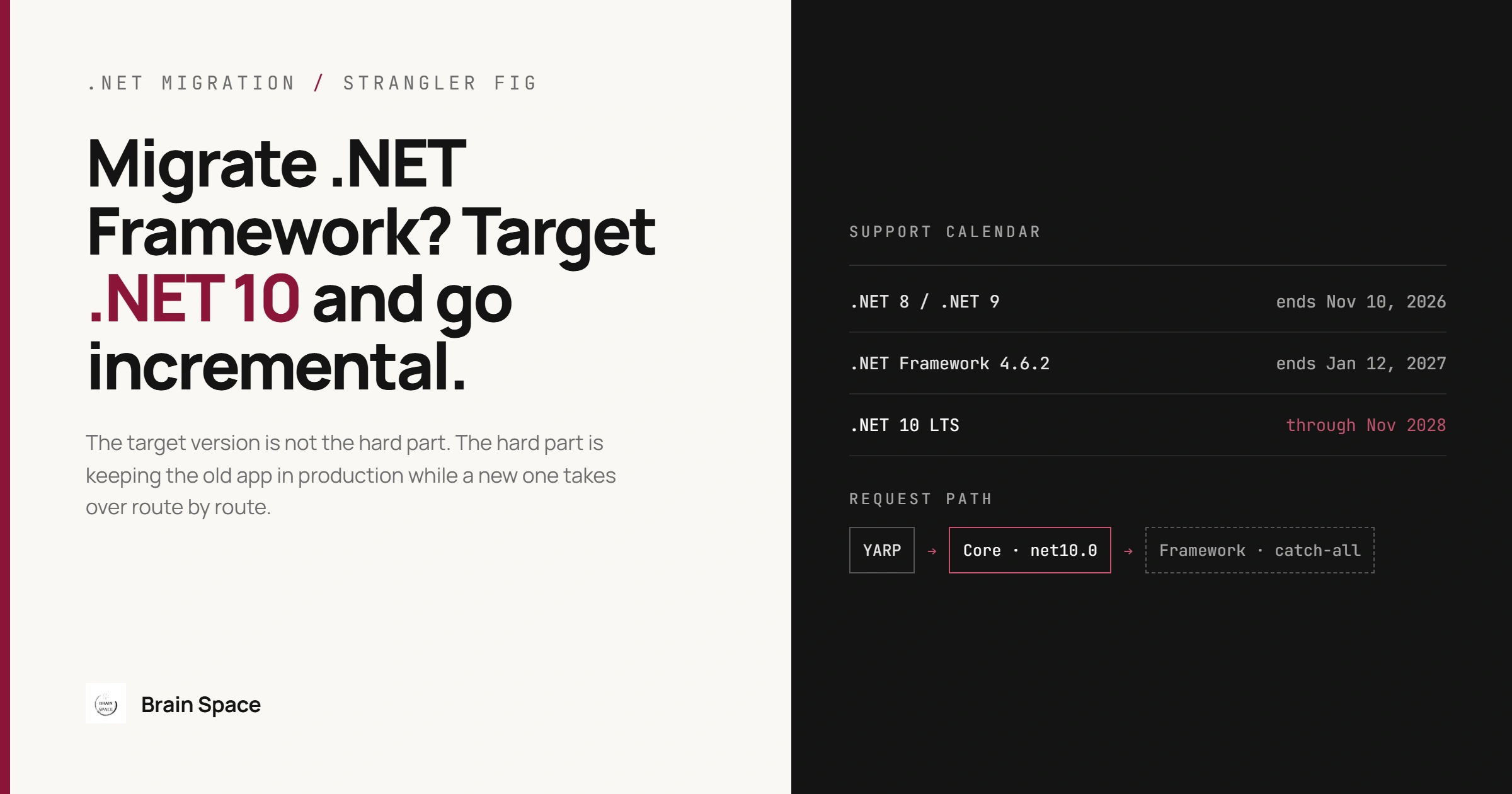
Migrate .NET Framework to .NET 8? Target .NET 10 Instead
A migration plan written in 2025 says "migrate .NET Framework to .NET 8". The work starts, the first routes ship, and halfway through Microsoft's date arrives: .NET 8 and .NET 9 both reach end of support on November 10, 2026. The team now owns a half-migrated system on a runtime without security patches, plus a second upgrade nobody budgeted. The fix is cheap if made before the work starts: target .NET 10, the current LTS release, supported through November 2028. The target version is not the hard part, though. The hard part is keeping the old app in production while a new one takes over route by route, and bridging the state the two share while that happens. That is where this guide spends most of its words.
Should You Migrate .NET Framework to .NET 8 in 2026?
No. If the migration is still being planned or is less than halfway done, retarget it to .NET 10. A project that finishes in 2027 on .NET 8 lands on an unsupported runtime on day one. Moving from .NET 8 to .NET 10 later is far smaller than the Framework migration, but it is still a separate round of breaking-change review, regression testing and deployment. The common mistake is copying the target version from an older plan or vendor proposal without checking the support calendar; the consequence is a second upgrade landing on the same team while it is still fixing the first one's regressions.
The urgency is often misplaced in the other direction too. .NET Framework 4.8 and 4.8.1 are not end of life: they follow the component lifecycle of the Windows version they are installed on, with no end date listed. The exception is .NET Framework 4.6.2, which ends support on January 12, 2027; moving such an app to 4.8.1 is a days-long job, not a migration.
So the reason to leave is rarely a support date. The platform is frozen: Linux containers, new framework features and libraries such as EF Core exist only on modern .NET, and the gap grows every year. When that does not matter, do not migrate. A stable internal app with no feature roadmap on a supported Windows Server is cheaper to leave alone; our post on platform modernization cost factors covers how to weigh that. The rest of this guide is about ASP.NET MVC and Web API apps. Web Forms has no ASP.NET Core equivalent, so its pages are rewritten (Microsoft's upgrade agent has a Web Forms to Blazor scenario), and WinForms or WPF desktop apps have no routes to proxy, so they are retargeted in place and stay Windows-only.
Incremental or In-Place: Choosing the Migration Path
Microsoft's ASP.NET Framework to ASP.NET Core migration guide describes two paths. In-place migration converts the app and ships it as one release. Incremental migration is an implementation of the strangler fig pattern: a new ASP.NET Core app sits in front of the old one, serves the routes that have moved, and forwards everything else.
Concern | In-place migration | Incremental migration |
|---|---|---|
Feature work during migration | Usually frozen or done twice until cutover | Continues; new features go into the new app |
Extra infrastructure | None after cutover | Two apps to host, deploy and monitor, plus a proxy hop |
Shared state | Not an issue | Session and authentication must be bridged |
Release risk | One large release, regressions found all at once | Many small releases, each easy to roll back |
Incremental is the right default for a large production app with heavy use of System.Web and HttpContext, or dependencies nobody has audited in years. It is the wrong choice for a small app a team can convert in a few weeks: the common mistake is going incremental anyway, and the consequence is months of paying the dual-hosting tax (two deployments, two sets of logs, a session bridge) for an app that never needed it. The reverse mistake, an in-place migration of a large app under a feature freeze, usually ends with the freeze lifted halfway and the migration branch drifting until it cannot be merged.
How Incremental Migration Works: YARP in Front of the Old App
The new ASP.NET Core app becomes the only public entry point. Routes it implements are handled locally; a lowest-priority fallback route forwards everything else to the .NET Framework app through YARP. The Core app references Yarp.ReverseProxy and Microsoft.AspNetCore.SystemWebAdapters.CoreServices; the Framework app references Microsoft.AspNetCore.SystemWebAdapters.FrameworkServices. Both share an API key that must parse as a GUID, and both sides register the same session keys:
// Program.cs in the new ASP.NET Core app (net10.0)
builder.Services.AddSystemWebAdapters()
    .AddJsonSessionSerializer(options =>
    {
        options.RegisterKey<int>("CartItemCount");
        options.RegisterKey<string>("PreferredCurrency");
    })
    .AddRemoteAppClient(options =>
    {
        options.RemoteAppUrl = new(builder.Configuration["RemoteAppUri"]);
        options.ApiKey = builder.Configuration["RemoteAppApiKey"];
    })
    .AddSessionClient();
builder.Services.AddReverseProxy();
builder.Services.AddControllersWithViews();

var app = builder.Build();
app.UseRouting();
app.UseSystemWebAdapters();

// the parameterless overload means writable session; default to read-only
// and mark writing controllers with [Session(SessionBehavior = SessionStateBehavior.Required)]
app.MapDefaultControllerRoute()
    .RequireSystemWebAdapterSession(
        new SessionAttribute { SessionBehavior = SessionStateBehavior.ReadOnly });

// everything not migrated yet goes to the .NET Framework app
app.MapForwarder("/{**catch-all}",
        app.Services.GetRequiredService<IOptions<RemoteAppClientOptions>>()
            .Value.RemoteAppUrl.OriginalString)
    .WithOrder(int.MaxValue)
    .ShortCircuit();
app.Run();

// Global.asax.cs Application_Start in the .NET Framework app
HttpApplicationHost.RegisterHost(builder =>
{
    builder.AddSystemWebAdapters()
        .AddJsonSessionSerializer(options =>
        {
            options.RegisterKey<int>("CartItemCount");
            options.RegisterKey<string>("PreferredCurrency");
        })
        .AddRemoteAppServer(options =>
            options.ApiKey = ConfigurationManager.AppSettings["RemoteAppApiKey"])
        .AddSessionServer();
});
Two constraints in Microsoft's setup guide are easy to miss. The apps must use identical virtual directory layouts, because route generation and authorization depend on it and no reliable workaround exists. And the Framework app should run with TLS and accept traffic only from the proxy. A common mistake is leaving the old app's public binding in place "for now". The consequence is two public entry points with different authentication and logging, and integrations that keep calling old URLs directly, so migrated routes are still served by the code you meant to retire.
Session and Authentication Are Where Incremental Migrations Stall
The proxy is mechanical. The state the two apps share is not, and generic migration checklists skip it.
Session State
ASP.NET Framework serializes session objects automatically and locks the session so one user's requests run serially. ASP.NET Core stores session values as byte[], needs explicit serialization and gives no locking guarantee. The System.Web adapters offer two bridges: a wrapped ASP.NET Core session for routes that do not need the legacy data, and remote app session, where the Core app reads and writes session state in the Framework app over HTTP. A key missing from the registration list causes errors and blocks session access.
Remote session matters because without it a user's cart or wizard state disappears whenever a request crosses from an old route to a new one. It is not the right choice when migrated routes can live with their own session: Microsoft rates its performance "fair" against "good" for the wrapped option. The protocol explains why. A read-only session is one request to the Framework app. A writable session keeps a connection to the Framework app open for the whole request: since System.Web adapters 2.0 that is a single HTTP/2 full-duplex request, falling back to the documented GET plus PUT when the Framework host cannot serve HTTP/2 over TLS. The common mistake is leaving every endpoint writable, which is what the parameterless RequireSystemWebAdapterSession() does. Under load, each Core request then keeps a connection open to the Framework app, and a slow deploy of the old app stalls the new one. Default to read-only as in the sample, and move keys into a database or cache as their last legacy reader is migrated.
Authentication
Microsoft's authentication migration guide offers two bridges. Remote authentication makes an HTTP call to the Framework app, which returns the user's serialized ClaimsPrincipal; it works with Forms authentication and custom modules, but not with Windows authentication, and sign-in and sign-out still have to go through the Framework app. Shared cookie authentication applies when the Framework app uses Microsoft.Owin cookie authentication: both apps read the same cookie using shared data protection keys (a file share, Redis or Blob Storage), with no extra call. Microsoft rates it "good" against "fair" for remote authentication.
Either bridge matters because authentication is usually the most entangled code in an old app and the riskiest to move early. Neither is the right end state. The common mistake is treating the bridge as permanent and migrating every business route first. The consequence is a migration that is "95% done" for a year: features run on .NET 10, but the old app and its Windows hosting stay because they still issue the identity. Two details save trouble early: keep ShortCircuit() on the fallback route, so remote authentication does not run on requests that are only being forwarded, and schedule the move to native ASP.NET Core authentication as a named milestone.
Three Dependencies That Decide the Timeline
Run Microsoft's list of .NET Framework technologies unavailable on modern .NET (AppDomains, Remoting, Code Access Security and others) against the codebase first. Three dependencies deserve their own plan because each fails late: at runtime, at a partner integration, or in the data layer.
BinaryFormatter in Caches and Stored Data
Starting with .NET 9, BinaryFormatter's APIs are still present but always throw PlatformNotSupportedException; the old compatibility switch no longer helps. It hides in distributed cache entries, files written years ago and, in an in-place migration, out-of-process session state. (In the incremental path the Framework app keeps reading its own session store and remote session travels as JSON.) Code compiles cleanly and fails on the first deserialization. Microsoft's System.Runtime.Serialization.Formatters package restores the implementation, but Microsoft calls it unsupported and it carries the same deserialization vulnerabilities, so it is a stopgap, not the plan. The common mistake is testing only against fresh data, so the failure first appears in production on an old cache entry. Moving to System.Text.Json changes the stored format, so persisted payloads need a read-old, write-new transition (Microsoft provides an NRBF reader for that).
WCF Services
Modern .NET has WCF client libraries, a subset of the .NET Framework client, but no WCF server. CoreWCF fills that gap and is covered by a Microsoft support policy: version 1.9 is supported on .NET 10 until November 14, 2028, or six months after the next major or minor release. It is the right choice when callers you do not control depend on the SOAP contract, and the wrong one when you own every caller: then the migration is the moment to replace the contract with HTTP APIs or gRPC. The common mistake is assuming CoreWCF implements every binding and security mode the old service used. It does not implement everything, for example message security beyond Transport and TransportWithMessageCredential, or distributed transactions, so a service relying on those builds cleanly on .NET 10 and then fails for the one partner integration that used them. Support is a separate question: Microsoft's policy covers five packages (Primitives, Http, NetTcp, WebHttp, ConfigurationManager), and others, such as named pipes and queues, run without Microsoft support.
Entity Framework 6 and EDMX Models
EF Core does not run on .NET Framework, but EF6 runs on modern .NET, and EF 6.5.2, released in April 2026, includes a .NET 10 compatibility fix. That splits two migrations people tend to merge: move the runtime first on EF6, then port to EF Core later. Porting data access in the same release is the common mistake; EF Core is a rewrite with different query behavior, and mixing its regressions with runtime regressions makes both hard to isolate. Staying on EF6 is not a long-term state either: it gets fixes but no new features, and running both side by side means two models to maintain, while EF6 migrations do not port, so EF Core history starts fresh. Teams that still edit EDMX models visually should know the EF designer does not work in SDK-style projects without a linked-file workaround.
A Migration Order That Keeps Production Shipping
Inventory the solution: search for
BinaryFormatter, WCF service hosts and EDMX files. The GitHub Copilot upgrade agent, which replaced the deprecated .NET Upgrade Assistant, assesses, plans and commits each change. Run it in Guided mode, which pauses at each stage; Automatic mode runs straight through, which defeats the review.Move anything on .NET Framework 4.6.2 to 4.8.1 before January 12, 2027.
Convert projects to SDK-style and PackageReference, updating packages one at a time.
Retarget shared libraries leaves first: .NET Standard 2.0 where possible, otherwise multi-target the Framework and .NET 10.
Deploy the proxy to production with zero migrated routes, to prove hosting, TLS and the extra hop, then migrate routes starting with those that need the least legacy session.
Move authentication, remove remote session keys, retire the Framework app.
For step 4, a library that still uses HttpContext drops its System.Web reference and takes the adapters package:
<Project Sdk="Microsoft.NET.Sdk">
  <PropertyGroup>
    <TargetFrameworks>net48;net10.0</TargetFrameworks>
  </PropertyGroup>
  <ItemGroup>
    <!-- version pinned in Directory.Packages.props -->
    <PackageReference Include="Microsoft.AspNetCore.SystemWebAdapters" />
  </ItemGroup>
</Project>
Measure progress by the share of production requests the new app serves without forwarding, not by projects converted, which climbs early and says nothing about when the old app can be switched off. If the app is also heading to the cloud, our checklist of signs a .NET application is ready for Azure migration pairs well with this order, and it is the kind of work our software and cloud engineering services cover end to end.
Migrating .NET Framework to Modern .NET: FAQ
Is .NET Framework 4.8 end of life?
No. .NET Framework 4.8 and 4.8.1 are supported as components of the Windows version they run on, with no end date listed. Version 4.6.2 ends support on January 12, 2027.
Can I still migrate .NET Framework to .NET 8?
You can, but .NET 8 support ends on November 10, 2026. Target .NET 10, supported through November 2028.
Can Entity Framework 6 run on .NET 10?
Yes. EF6 supports modern .NET, and EF 6.5.2 added a .NET 10 compatibility fix. Port to EF Core as a separate, later step.
Is the .NET Upgrade Assistant still supported?
No. Microsoft lists it as officially deprecated and points to the GitHub Copilot upgrade agent.
The decision rule: target .NET 10, go incremental only when the app is large or tangled in System.Web, ship the proxy empty before moving any route, and schedule authentication and BinaryFormatter removal as named milestones. Those two, not the project file conversion, decide when the old app can finally be switched off.